You check your public IP in the morning, look again later, and the number is different.
That can feel suspicious at first. Most people assume an IP address belongs permanently to their home connection, so a change may look like something went wrong.
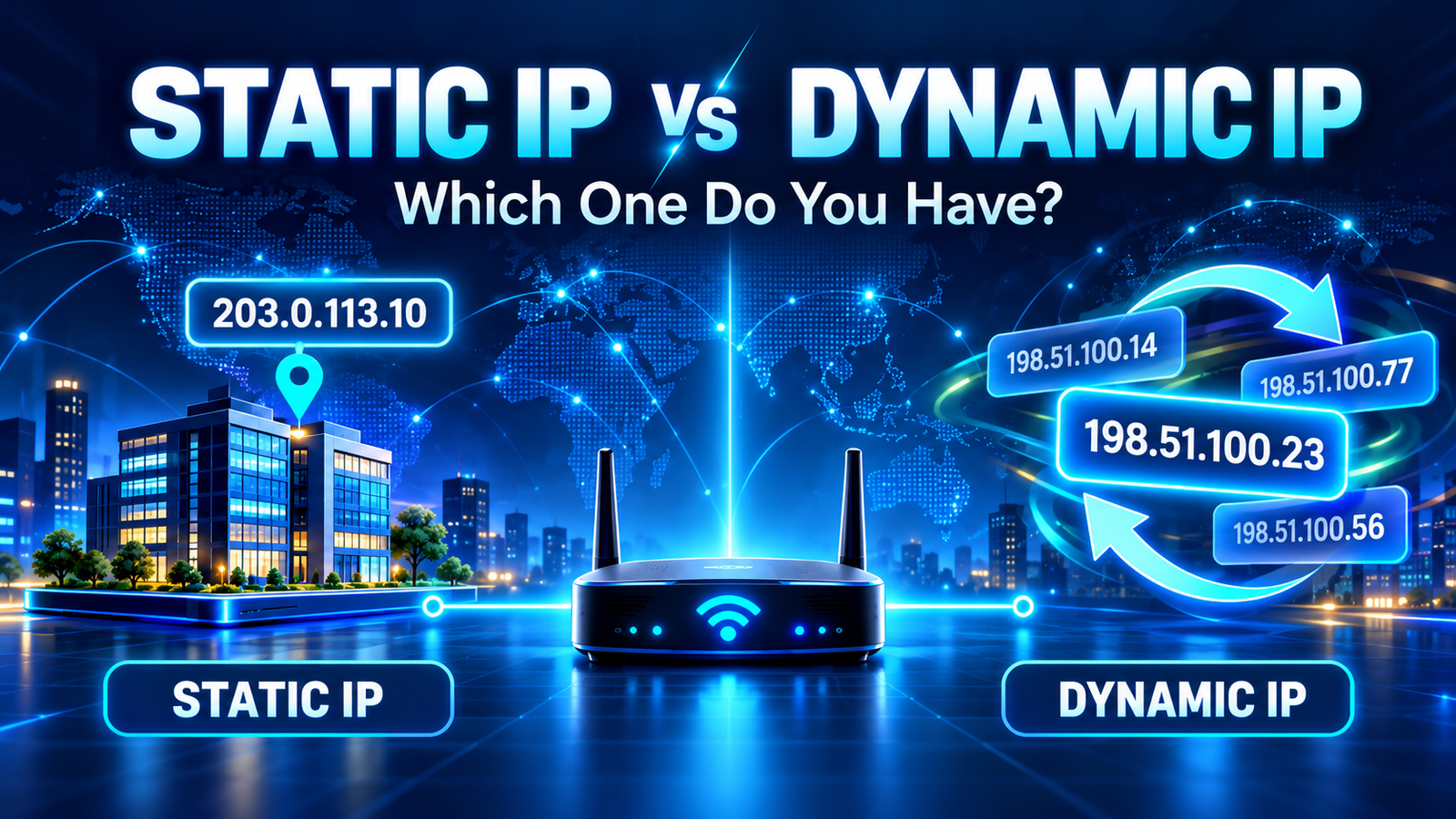
For many residential and mobile internet connections, though, a changing public IP is completely normal. Internet service providers often use dynamic IP addressing, which means the address assigned to your connection can change over time.
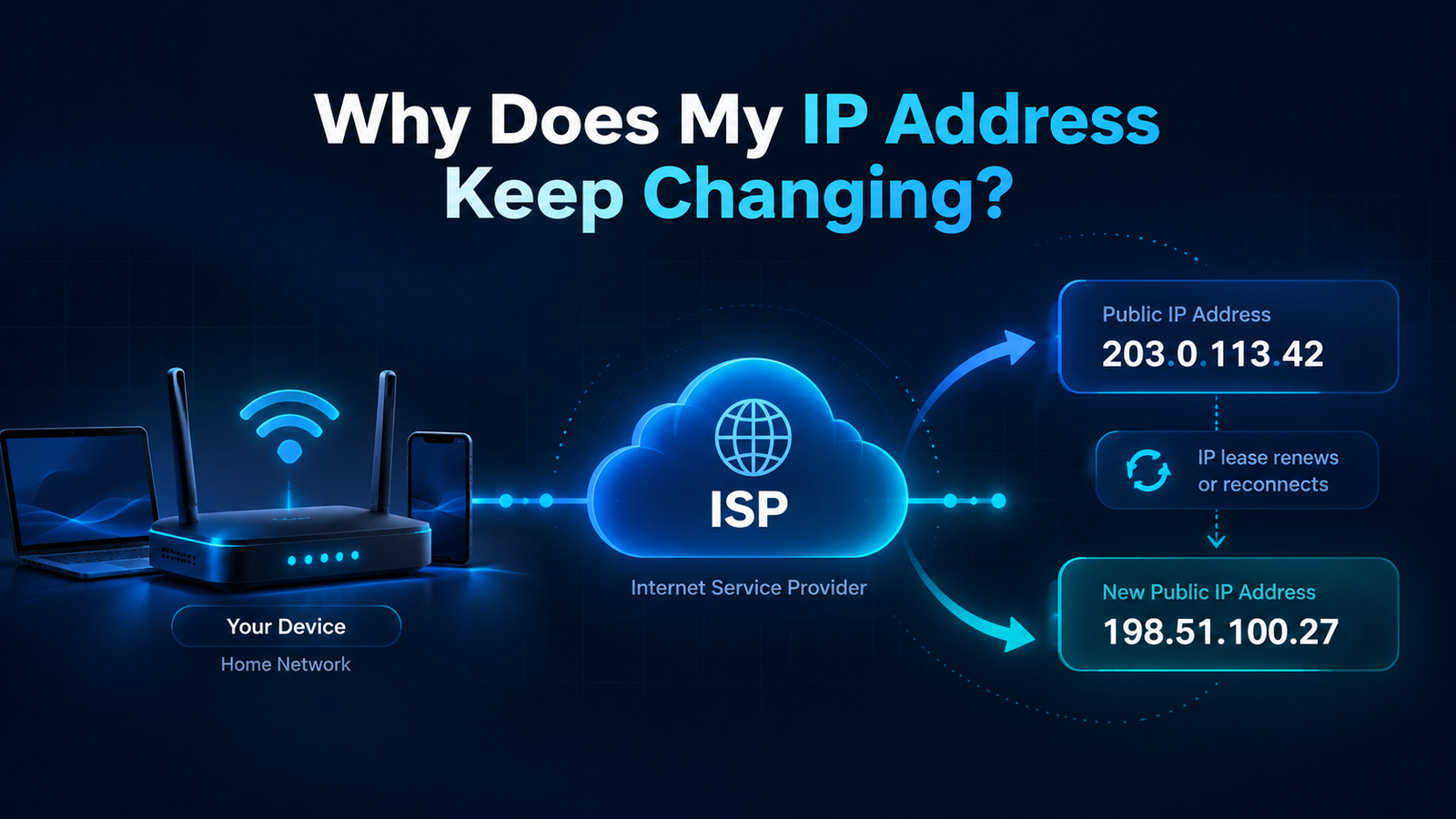
Your public IP can change because your ISP uses dynamic addresses, your router reconnects, you switch networks, your mobile carrier changes gateways, or you connect to a VPN. The change is usually a normal network event rather than a security problem.
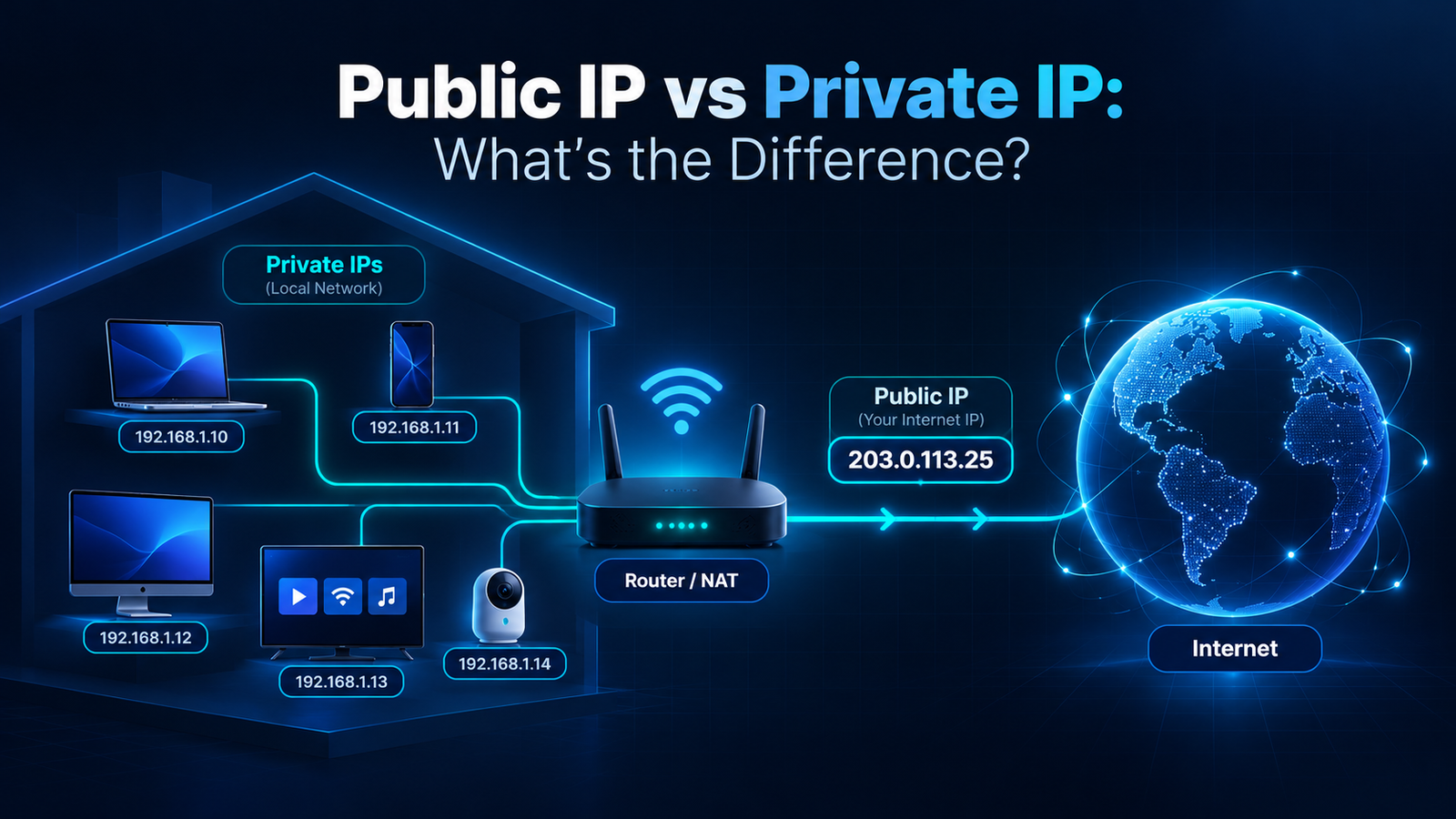
First: Public IP and Private IP Are Different
Before looking at the causes, it helps to separate two addresses that are often confused.
Your devices usually have a private IP address inside your home or office network. It may look like 192.168.x.x, 10.x.x.x, or another private range. Your router manages those local addresses.
Your public IP address is the address the wider internet generally sees for your connection. That is the address displayed by Fast IP Checking and other public IP tools.
Either one can change, but when people ask why their IP keeps changing, they are usually talking about the public address.
1. Your ISP Uses a Dynamic Public IP
This is the most common explanation.
Many ISPs do not permanently reserve one public IPv4 address for every household. Instead, they manage a pool of addresses and assign them to customers as needed.
Your connection may keep the same public IP for days, weeks, or even longer. But that does not necessarily make it permanent. The provider can still assign a different address later.
This setup is called dynamic IP addressing.
It is efficient for providers because not every residential customer needs a permanently fixed address. For normal browsing, streaming, email, gaming, and everyday app use, a dynamic public IP usually works without any problem.
2. Your Router or Modem Reconnected
A disconnect and reconnect can sometimes result in a different public IP.
This may happen after:
- restarting your router or modem;
- a power outage;
- a temporary ISP outage;
- firmware updates;
- disconnecting the equipment for an extended period;
- network maintenance by your provider.
However, restarting the router does not guarantee a new public IP. Your ISP may simply assign the same address again.
That is why two people using different providers can have very different experiences: one may keep the same address for months, while another may see it change more often.
3. An ISP Lease or Network Assignment Changed
Dynamic network assignments are often managed through lease-based systems. In simple terms, your connection is allowed to use an address for a period of time, and the network can renew or replace that assignment.
You do not normally need to manage this yourself. It happens in the background.
A lease renewal does not always mean the IP will change. Often the same address is renewed. But if the ISP reorganizes its address pool or the old address is no longer available, your connection can receive a different one.
This is one reason an IP can change even when you did not touch your router.
4. You Switched Between Wi-Fi and Mobile Data
Your home Wi-Fi and your mobile connection are separate networks.
When your phone uses Wi-Fi, websites generally see the public IP associated with your home or workplace internet connection. Turn Wi-Fi off and switch to mobile data, and your traffic now travels through your cellular carrier.
The public IP can therefore change immediately.
This is easy to test:
- Open Fast IP Checking while connected to Wi-Fi.
- Write down the public IP shown.
- Turn Wi-Fi off and use mobile data.
- Check again.
In most cases, you will see a different public address because you are using a completely different provider network.
5. Your Mobile Carrier Uses Shared Network Infrastructure
Mobile networks can make public IP behavior look especially unpredictable.
Carriers may route many users through shared gateways, and some use technologies such as Carrier-Grade NAT to make more efficient use of public IPv4 addresses.
As you move, reconnect, switch between 4G and 5G, or get routed through another part of the carrier network, the public IP visible to websites may change.
That does not mean your phone has been compromised. It usually means the carrier changed how your current session reaches the internet.
6. A VPN Changes the IP Websites See
When you connect to a VPN, the public IP seen by websites normally changes from your ISP address to the address of the VPN server.
If you switch VPN servers, it may change again.
For example, you could:
- browse normally and see your ISP public IP;
- connect to a VPN server in New York and see one address;
- switch to a VPN server in Chicago and see another.
Disconnect the VPN and your visible address will usually return to the one currently assigned by your ISP.
If your IP changes frequently and you use a VPN app or browser extension, check whether it is reconnecting automatically or rotating servers.
7. IPv6 Can Behave Differently From IPv4
Some connections use both IPv4 and IPv6.
Your IPv4 address and IPv6 address are separate. They may be assigned and managed differently by your ISP.
IPv6 also allows devices and operating systems to use temporary addressing features for privacy. Depending on the network and device configuration, the IPv6 address a website sees may therefore change more often than you expect.
This does not mean that every IPv6 change comes from the same mechanism. The provider can also change the IPv6 prefix assigned to your connection.
The practical lesson is simple: if you are comparing addresses over time, check whether you are comparing IPv4 with IPv4 and IPv6 with IPv6.
How Often Should a Public IP Change?
There is no universal schedule.
| Connection situation | What you might see |
|---|---|
| Home broadband with dynamic IP | The same IP may remain for days or months, then change after a reconnect or ISP event. |
| Router restart | The IP may stay the same or change. |
| Mobile data | Changes can occur more frequently as the carrier routes sessions differently. |
| VPN connection | The visible IP usually changes to the VPN server address. |
| Switching Wi-Fi networks | The public IP normally changes because you are using another internet connection. |
If your address stays the same for a long time, that does not automatically mean you have a static IP. A dynamic address can simply remain assigned for a long period.
Is a Changing IP Address a Security Problem?
Usually, no.
A public IP changing by itself is not evidence that someone hacked your router, stole your connection, or took over your account.
It is more useful to look at the context.
If your IP changes after a router restart, a mobile network switch, a VPN connection, or an ISP outage, there is an obvious explanation.
If you are worried about your network for other reasons — unknown devices, changed router settings, repeated login alerts, or unexplained traffic — investigate those signs directly rather than treating a new public IP as proof of an attack.
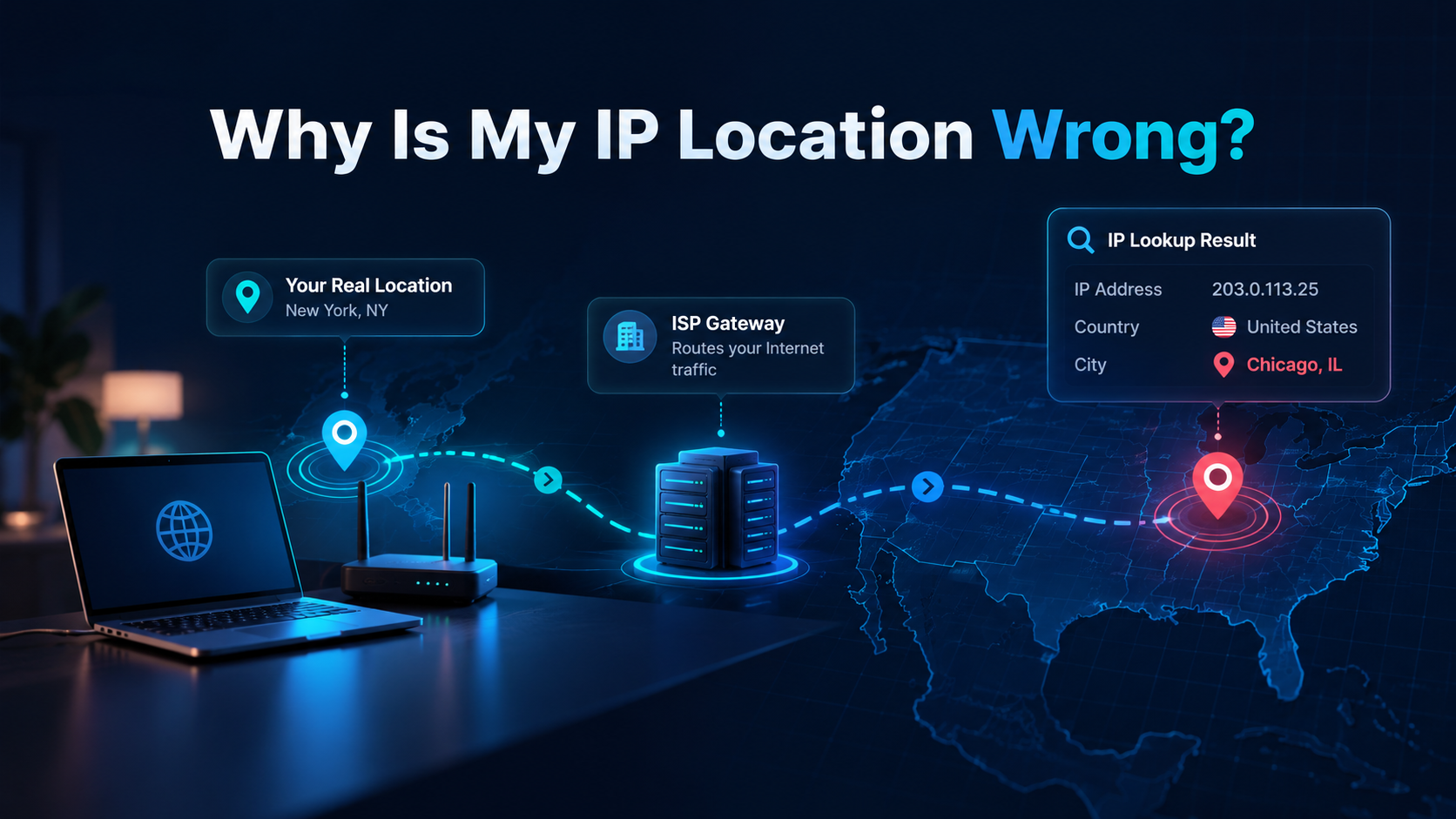
Why Does My IP Location Change When the IP Changes?
A new public IP can also produce a different city or region in an IP lookup.
That happens because geolocation databases associate different IP ranges with different network locations.
Your new IP may be registered to another ISP gateway or mapped differently by the geolocation provider.
If the new location looks surprising, read our guide Why Is My IP Location Wrong? for a detailed explanation.
How to Check Whether Your Public IP Is Really Changing
You can test it without installing anything.
- Open Fast IP Checking.
- Note your public IPv4 and, if available, IPv6 address.
- Check again later while using the same connection.
- If you intentionally reconnect your router, check again after it is fully online.
- Compare the addresses carefully.
Do You Need a Static IP Address?
Most home users do not.
A static public IP is more useful when you need other systems to reliably reach your network at the same address. Examples can include certain business services, remote access configurations, hosted services, or network allowlists.
For ordinary web browsing and streaming, a changing public IP is usually not a disadvantage.
If you genuinely need a fixed address, contact your ISP and ask whether it offers a static public IP. Availability and pricing vary by provider and plan.
Can You Stop Your Dynamic IP From Changing?
Not reliably from your computer alone.
Your public address is assigned by your ISP or upstream network. Changing settings on a laptop does not turn a dynamic ISP address into a static one.
Leaving your router connected continuously may reduce the number of reconnect-related changes, but the provider can still change the address later.
If a stable public address is important, the proper solution is an ISP-provided static IP or another service specifically designed for that requirement.
Final Thoughts
If your public IP keeps changing, the most likely explanation is simply that your connection uses dynamic addressing.
Your ISP may change the address after a reconnect or network update. Mobile networks can route you differently. VPNs deliberately replace the visible IP with a server address. IPv4 and IPv6 can also behave differently.
For most people, none of this requires fixing.
The question to ask is not “Why did the number change?” but “Does my internet connection still work normally, and do I actually need a permanent public address?”
If the answer is yes to the first question and no to the second, a changing IP is usually just part of how the network is designed.
Related Guide
If the address itself looks normal but its city or region is wrong, see Why Is My IP Location Wrong?.
Frequently Asked Questions
Why does my public IP address keep changing?
Most home internet connections use dynamic public IP addresses. Your ISP can assign a different address after a lease change, reconnect, network maintenance, or other routine network event.
Does restarting my router change my IP address?
It can, but it is not guaranteed. Some ISPs may assign the same public IP again, while others may issue a different one after the router or modem reconnects.
Is it dangerous if my IP address changes?
Usually not. A changing public IP is normal on many residential and mobile connections and is not, by itself, a sign of hacking or a security problem.
Can a VPN make my IP address change?
Yes. When you connect to a VPN, websites generally see the VPN server's public IP instead of the public IP assigned by your ISP. Changing VPN servers can change the visible IP again.
How can I keep the same public IP address?
Ask your ISP whether it offers a static public IP. Static IP service may be included on some business plans or offered as a paid option, depending on the provider.