You open your network settings and see an address such as 192.168.1.25. Then you visit an IP checker and see a completely different address.
Both can be correct.
Your computer, phone, router, and internet provider can all work with different IP addresses at the same time. The two addresses people most often confuse are a public IP address and a private IP address.
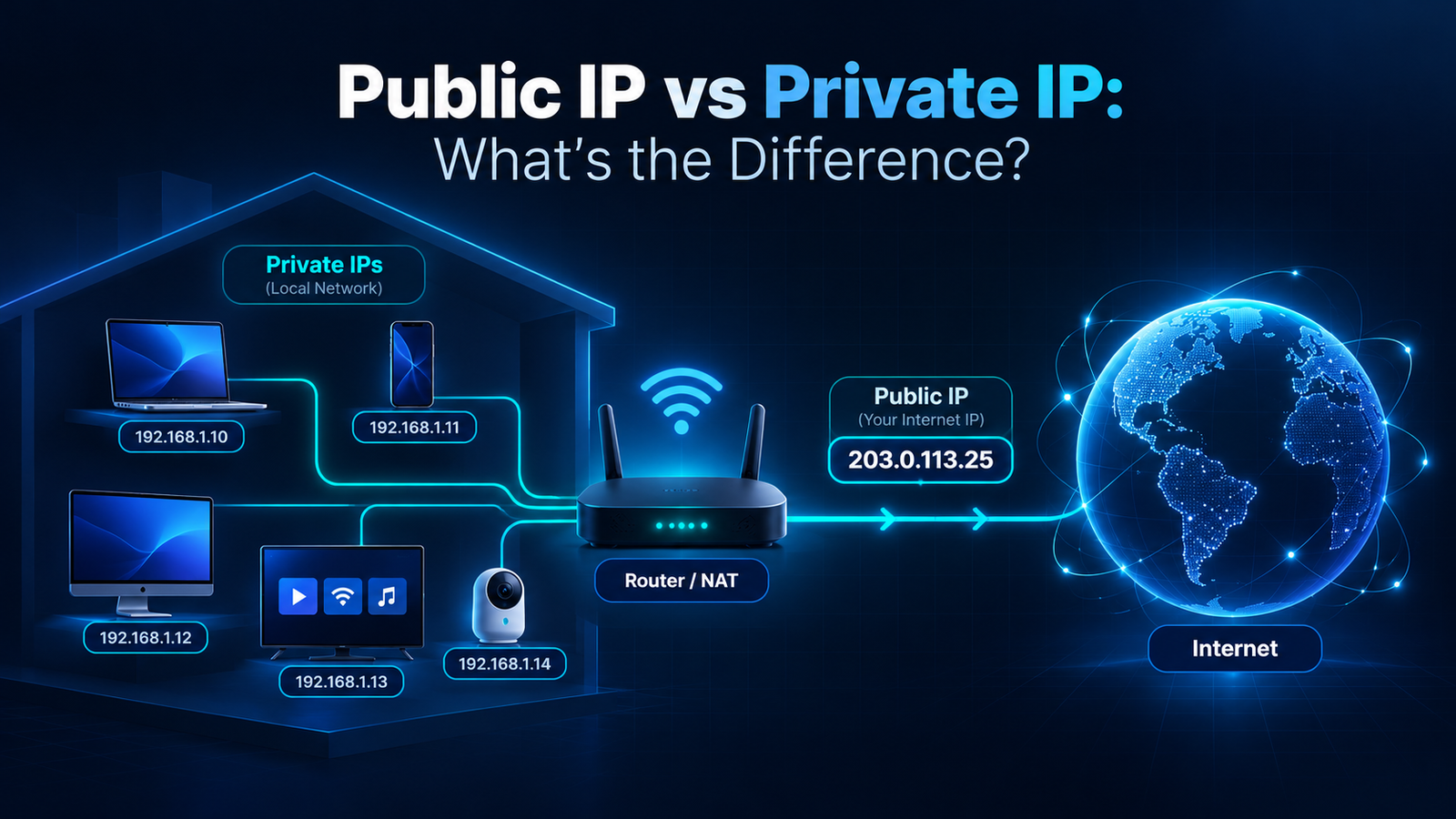
A private IP identifies a device inside your local network. A public IP identifies your internet connection to networks outside your home or office. Your router usually sits between the two and translates local traffic before it reaches the internet.
What Is a Public IP Address?
A public IP address is an address used to communicate across the internet.
When you visit a website, that website normally sees the public IP used by your connection. On a typical home network, that public address is assigned by your internet service provider.
Your laptop may have a private address such as 192.168.1.20, while websites see a completely different public address.
You can check the public IP currently visible from your connection on Fast IP Checking.
Who assigns your public IP?
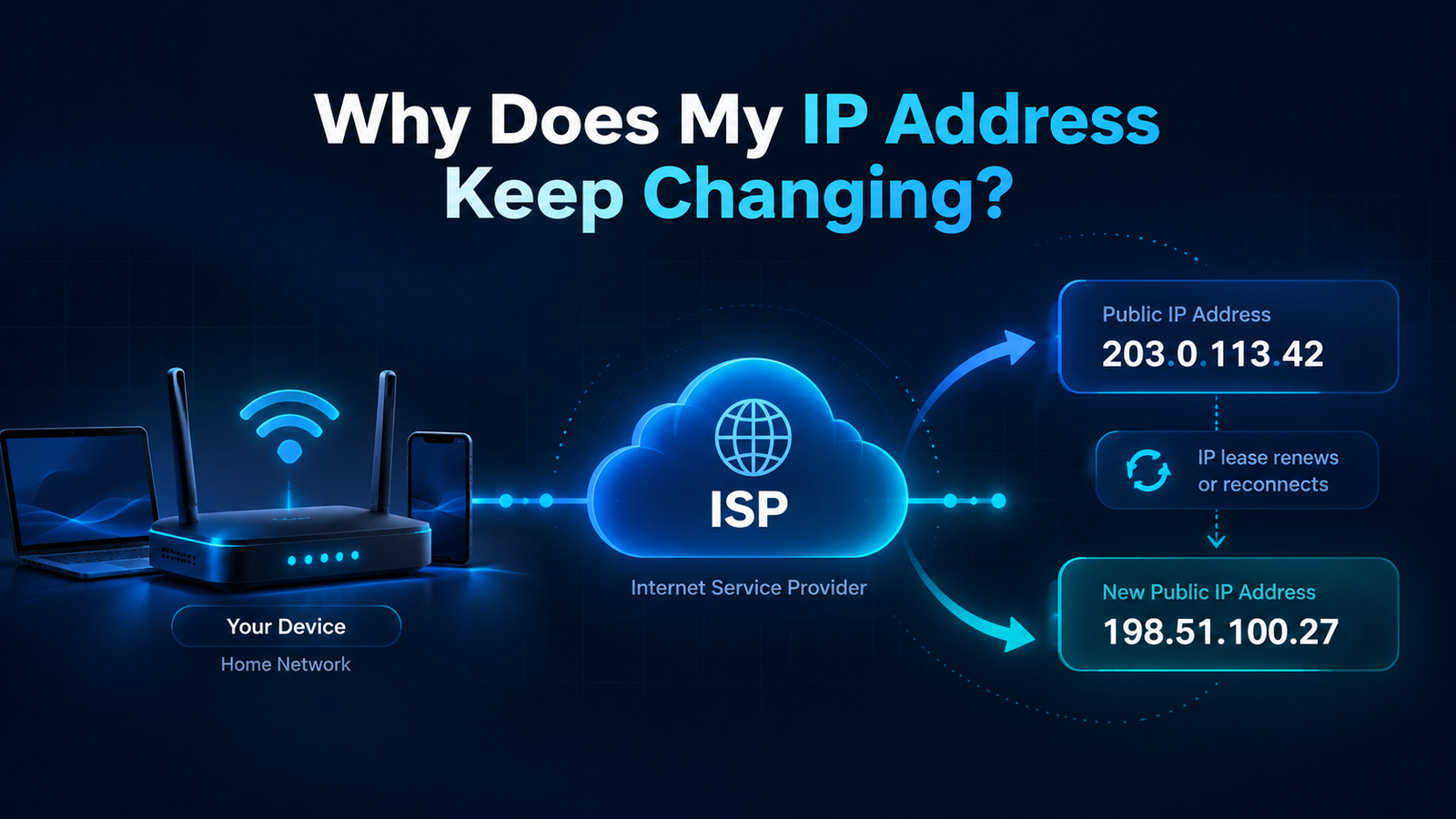
For most home users, the public IP is assigned by the ISP. It may stay the same for a long time or change periodically.
If your public IP changes, that does not automatically indicate a problem. Many residential connections use dynamic addressing.
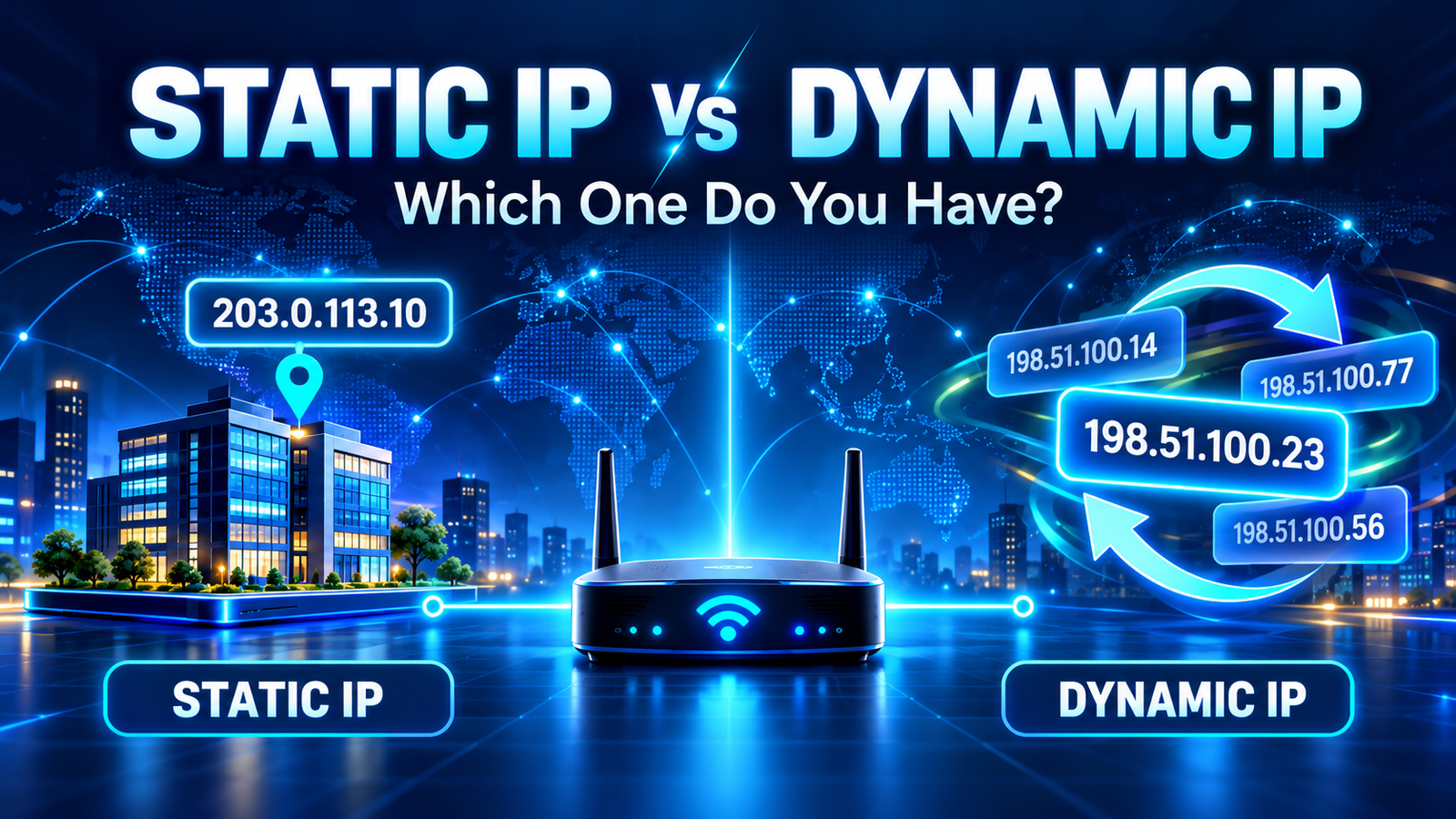
For more detail, see Why Does My IP Address Keep Changing?.
What Is a Private IP Address?
A private IP address is used inside a local network.
Your router can assign private addresses to phones, computers, smart TVs, printers, game consoles, and other devices connected to your Wi-Fi or Ethernet network.
Private IPv4 addresses are not routed directly across the public internet.
The main private IPv4 ranges are:
10.0.0.0 – 10.255.255.255172.16.0.0 – 172.31.255.255192.168.0.0 – 192.168.255.255
That is why addresses such as 192.168.1.1, 192.168.0.10, or 10.0.0.5 are so common inside home networks.
Public IP vs Private IP: The Main Difference
| Feature | Public IP | Private IP |
|---|---|---|
| Where it is used | Across the internet | Inside a local network |
| Usually assigned by | Your ISP or upstream provider | Your router or local network administrator |
| Visible to websites | Usually yes | Usually no |
| Must be globally unique | Yes, while publicly routed | No |
| Can the same address exist on many networks? | No for a publicly routed address | Yes |
| Example | An ISP-assigned internet address | 192.168.1.25 |
Why Can Many Homes Use the Same Private IP?
Private addresses only need to be unique inside their own local network.
Your laptop might use 192.168.1.10 at home. Someone in another city can also have a laptop using 192.168.1.10.
There is no conflict because those devices are on separate private networks.
Public IP addresses work differently. A publicly routed address has to identify the correct destination on the wider internet.
How Your Router Connects Private and Public IPs
Most home routers use a process called Network Address Translation, commonly shortened to NAT.
Imagine you have five devices connected to your router:
- a laptop;
- a phone;
- a smart TV;
- a tablet;
- a game console.
Each can have its own private IP address inside your home network.
But when those devices access the internet, they may all appear to websites as coming from the same public IPv4 address.
The router keeps track of the connections so incoming responses can be sent back to the correct device.
Seeing one public IP on several devices connected to the same router is completely normal.
Example: One Home, Several IP Addresses
Suppose your network looks like this:
| Device | Private IP |
|---|---|
| Router | 192.168.1.1 |
| Laptop | 192.168.1.20 |
| Phone | 192.168.1.21 |
| TV | 192.168.1.22 |
Those devices have different private IP addresses, but an external website may see all of them using the same public IP.
This is one of the main reasons your device settings and an online IP checker can show different addresses.
How to Find Your Public IP
The simplest method is to use an online IP checker.
Open Fast IP Checking and the page can show the public address your current connection is presenting to the internet, along with available ISP and approximate geolocation information.
If you use a VPN, the address shown may belong to the VPN server rather than your normal ISP connection.
How to Find Your Private IP
Your private IP is normally shown in your device's local network settings.
On most systems, look for a field named something like:
- IP address;
- IPv4 address;
- local address;
- Wi-Fi details;
- network details.
If the address begins with 192.168., 10., or falls between 172.16. and 172.31., it is probably a private IPv4 address.
What About the IP Address on Your Router's Internet Page?
This is where things can become more interesting.
Your router often has at least two sides:
On the local side, it may use an address such as 192.168.1.1.
On the internet-facing side, it may receive an address from your ISP.
In a simple connection, that WAN address can match the public IP shown by an online checker.
But sometimes it does not.
Why Your Router WAN IP May Not Match Your Public IP
Some ISPs use Carrier-Grade NAT, often called CGNAT.
With CGNAT, your router may not receive its own directly routed public IPv4 address. Instead, multiple customers can share public IPv4 addresses through the provider's network.
A common shared address range used for this purpose is:
100.64.0.0 – 100.127.255.255
This range is not one of the ordinary private RFC1918 ranges, but it is also not normally used as a directly public internet address for an individual customer.
If your router shows an address in this range while an IP checker shows something different, CGNAT may be the reason.
Does a Private IP Protect Your Privacy?
A private IP helps organize devices inside your network, but it should not be treated as a complete privacy or security system.
A website on the internet usually does not see your private IPv4 address simply because you visit it. It normally sees the public address used by your connection.
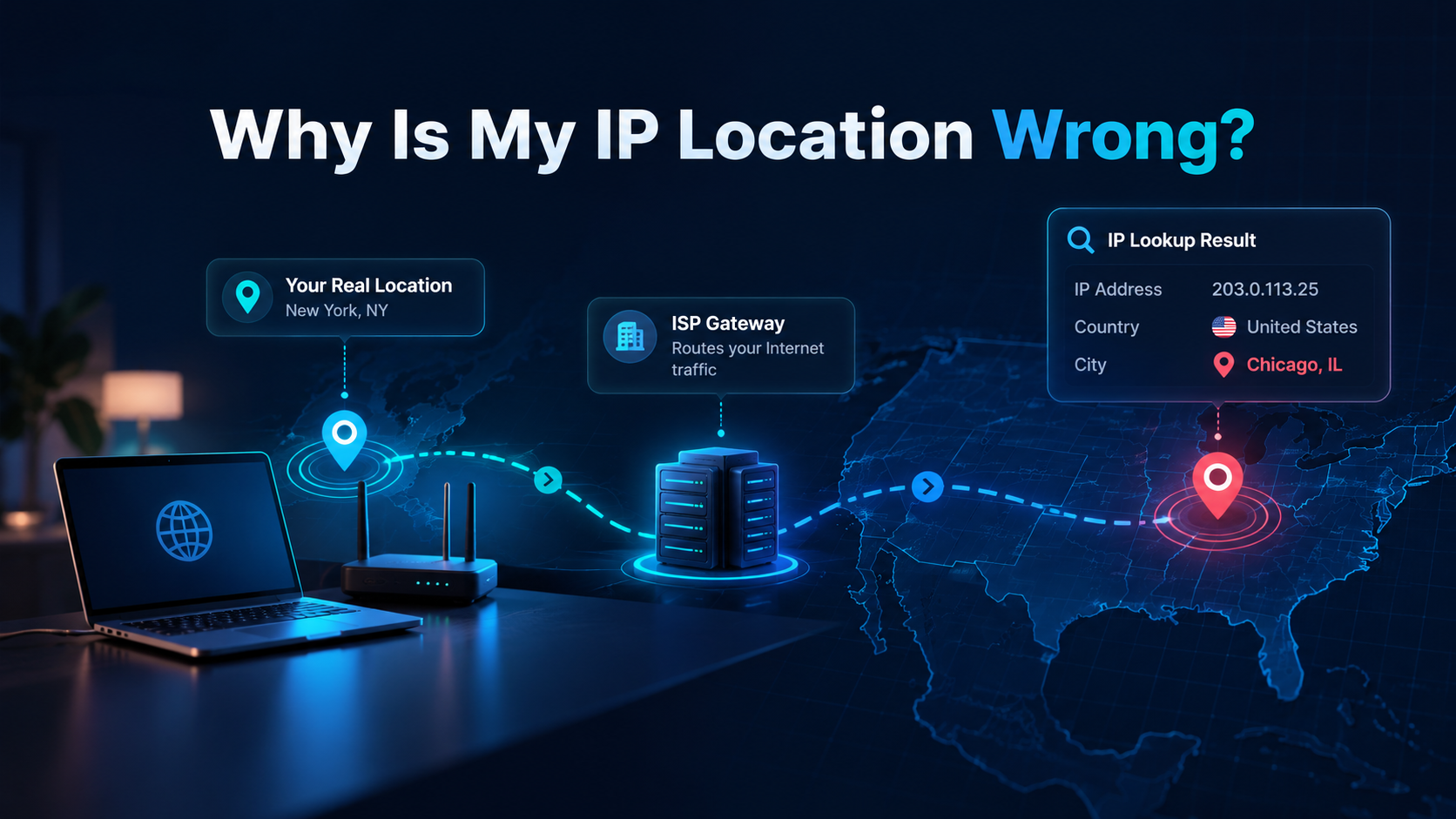
However, your public IP can still reveal information such as your ISP and an approximate geographic area.
It usually cannot reveal your exact home address by itself.
If an IP lookup shows the wrong city or region, see Why Is My IP Location Wrong?.
Can a Private IP Change?
Yes.
Your router often assigns private IP addresses automatically using DHCP.
A device may keep the same local address for a long time, but it can receive a different one after reconnecting, restarting, or when the router renews its local lease.
This is separate from your public IP changing.
Your private IP can change while your public IP stays exactly the same.
Can Your Public IP Change While Your Private IP Stays the Same?
Yes, and this is also very common.
Your laptop may continue using 192.168.1.20 inside your home while your ISP assigns your router a different public address.
The two systems operate independently.
What Happens When You Use a VPN?
A VPN adds another layer.
Your device still has a private address on your local network.
Your ISP still provides internet connectivity.
But websites normally see the public IP of the VPN server while the VPN is connected.
This means you might have:
| Address | Purpose |
|---|---|
192.168.1.20 |
Your laptop's private address |
| ISP public IP | Your internet connection before VPN routing |
| VPN server public IP | The address websites normally see while connected to the VPN |
What About IPv6?
IPv6 changes some of the traditional assumptions that come from IPv4.
IPv6 has an enormous address space, so devices can have globally routable IPv6 addresses without relying on IPv4-style NAT in the same way.
IPv6 also includes local addressing concepts, such as Unique Local Addresses, and operating systems may use temporary IPv6 addresses for privacy.
So when checking your connection, it is important to distinguish between:
- public IPv4;
- private IPv4;
- public IPv6;
- local or temporary IPv6 addresses.
A device can have several valid IP addresses at the same time.
Which IP Address Matters for Websites?
If you want to know what a website can normally identify as your network address, the public IP is the important one.
If you are troubleshooting a printer, router, file share, or another device inside your home network, the private IP is usually more relevant.
Internet problem? Check the public IP. Local network problem? Check the private IP.
Frequently Asked Questions
Is 192.168.x.x a public or private IP?
It is a private IPv4 range. Addresses beginning with 192.168 are commonly used by routers and devices inside home and office networks.
Can two devices have the same private IP?
They can have the same private IP if they are on different networks. Two devices on the same local network generally should not use the same address at the same time because that can create an address conflict.
Can multiple devices share one public IP?
Yes. This is very common. A home router can allow several devices with different private IP addresses to access the internet through one public IPv4 address.
Why is my public IP different from the IP in my Wi-Fi settings?
Your Wi-Fi settings normally show your device's private local address. An online IP checker shows the public address used by your connection when reaching the internet.
Is my public IP permanent?
Not necessarily. Many ISPs use dynamic public IP addresses that can change after reconnects, lease changes, maintenance, or other network events.
Check Your Public IP
See the IPv4 or IPv6 address currently visible from your connection, along with available ISP and approximate location information.
Check My IP AddressFinal Thoughts
A public IP and a private IP are not competing versions of the same address. They serve different jobs.
Your private IP helps devices communicate inside your local network. Your public IP represents your connection when communicating with the wider internet.
Your router connects those two worlds, often using NAT so several local devices can share one public IPv4 address.
Once you understand that distinction, many common IP questions become easier to diagnose: why your device shows one address while a website shows another, why several devices share one public IP, and why changing networks can immediately change the address websites see.