Your public IP address may stay the same for months, or it may change after a router reconnect or ISP maintenance.
That raises a common question: Do I have a static IP or a dynamic IP?
The difference matters most when you need a predictable address for remote access, hosted services, network allowlists, or certain business applications. For ordinary browsing, streaming, and everyday home internet use, however, most people do not need a static public IP.
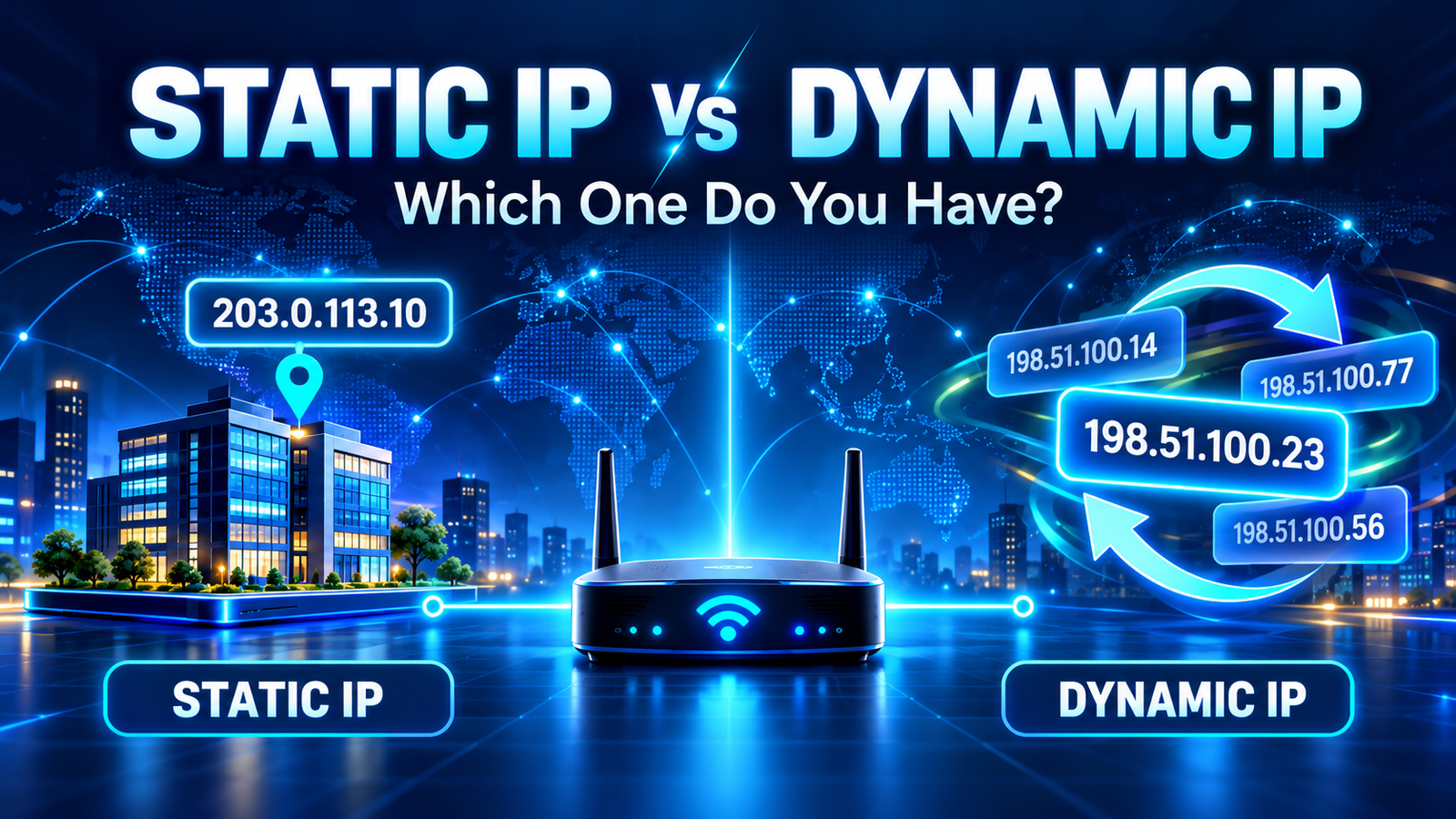
A static IP is designed to remain the same. A dynamic IP can be reassigned by your internet provider. Most residential connections use dynamic public IP addresses, while static IPs are more common on business plans or as optional paid services.
What Is a Static IP Address?
A static IP address is an address that is intended to remain fixed rather than being routinely reassigned.
If your ISP gives your connection a static public IP, the same address can remain associated with your service even after normal reconnects or router restarts.
That predictability can be useful when other systems need to reliably reach your network.
Common uses include:
- remote access to business systems;
- hosting certain servers or services;
- IP-based access control;
- site-to-site VPN configurations;
- firewall allowlists;
- monitoring systems that expect a known source IP.
A static public IP is usually controlled by the ISP. Simply changing settings on your computer does not turn a dynamic ISP address into a static public address.
What Is a Dynamic IP Address?
A dynamic IP address can change over time.
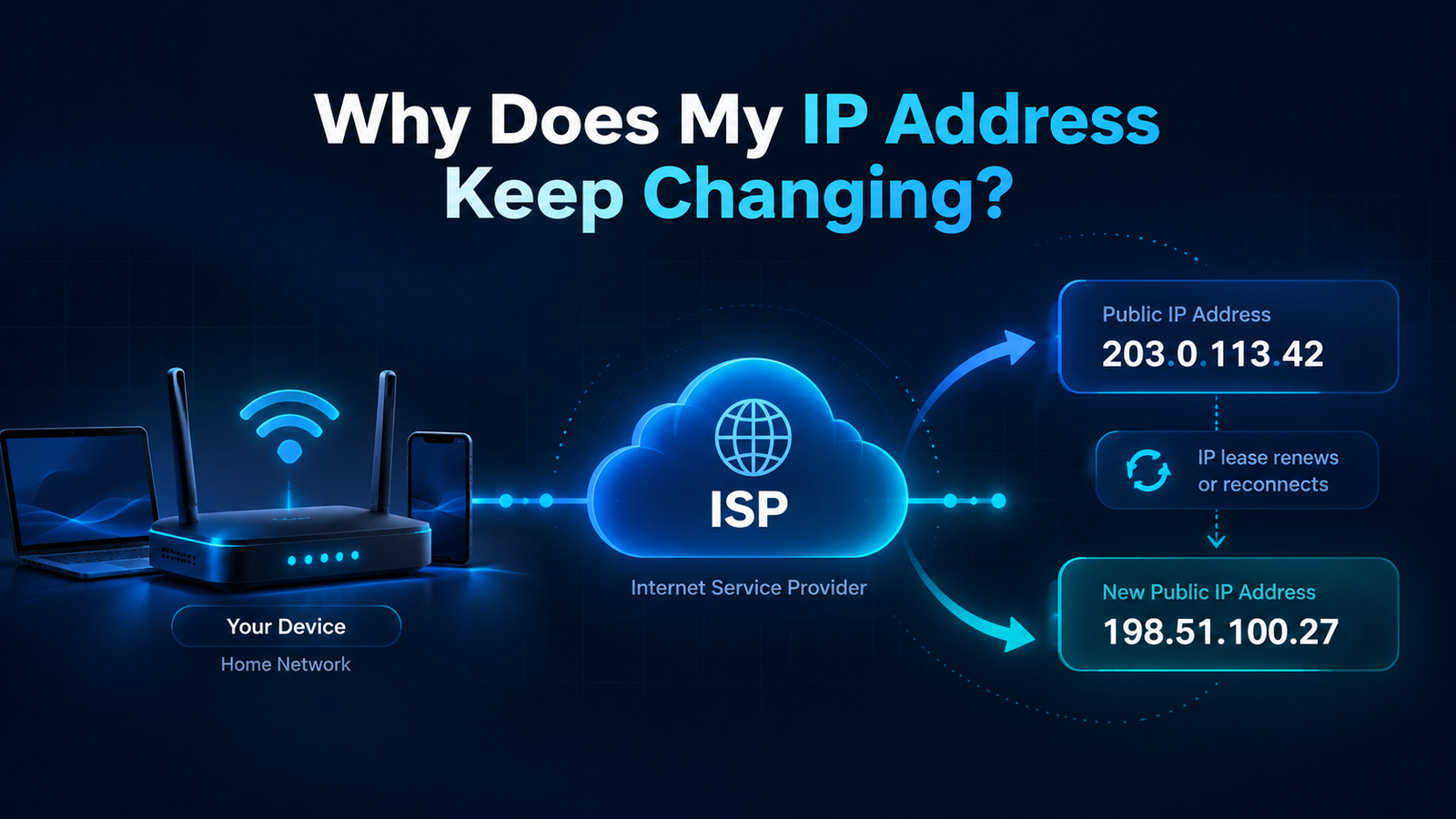
Many ISPs manage pools of public addresses and assign them to customer connections as needed. Your connection may keep the same address for a long period, but the provider can still assign a different one later.
A dynamic IP may change after:
- a router or modem reconnect;
- a power outage;
- an ISP lease renewal;
- network maintenance;
- changes in the provider's address pool;
- moving between networks.
If you want a deeper explanation, see Why Does My IP Address Keep Changing?.
Static vs Dynamic IP: The Main Differences
| Feature | Static IP | Dynamic IP |
|---|---|---|
| Does it change? | Designed to remain fixed | Can change over time |
| Typical user | Business or advanced network use | Home and mobile internet users |
| Cost | May cost extra | Usually included with internet service |
| Remote access | Easier to configure consistently | May require Dynamic DNS or another solution |
| Everyday browsing | Works normally | Works normally |
| Manual setup required? | Sometimes, depending on ISP and network | Usually automatic |
How Can You Tell If Your Public IP Is Static or Dynamic?
There is no single public lookup that can always tell you with certainty whether your ISP has assigned your connection a static or dynamic address.
The most reliable method is to check your ISP account or ask the provider directly.
However, there are several practical clues.
1. Check Your Internet Plan
Look at your ISP plan details, contract, or account portal.
If you have a static public IP, providers often mention it explicitly because it is a specific service feature.
You may see terms such as:
- Static IP;
- Fixed IP;
- Dedicated IP;
- Public Static IPv4;
- Business Static IP.
If your plan says nothing about a fixed address, a residential connection is more likely to be dynamic.
2. Ask Your ISP
This is the simplest definitive check.
Ask:
"Is the public IP assigned to my connection static or dynamic?"
Also ask whether your connection uses CGNAT if you need inbound access from the internet.
3. Check Your Public IP Over Time
Open Fast IP Checking and record your current public IP.
Check it again over several days.
If it changes, you clearly have a dynamic address or are using a network layer that changes the visible IP.
If it does not change, that still does not prove it is static. Dynamic addresses can remain unchanged for weeks or months.
An IP that has stayed the same for a long time is not automatically a static IP.
Does Restarting the Router Reveal Whether an IP Is Static?
Not reliably.
Some dynamic connections receive a different public IP after a restart. Others reconnect and receive exactly the same address again.
Therefore:
- if the address changes, it is almost certainly dynamic;
- if the address stays the same, the result is inconclusive.
Your ISP may simply reassign the same dynamic IP because it is still available.
Can You Make a Dynamic IP Static Yourself?
Not at the ISP level.
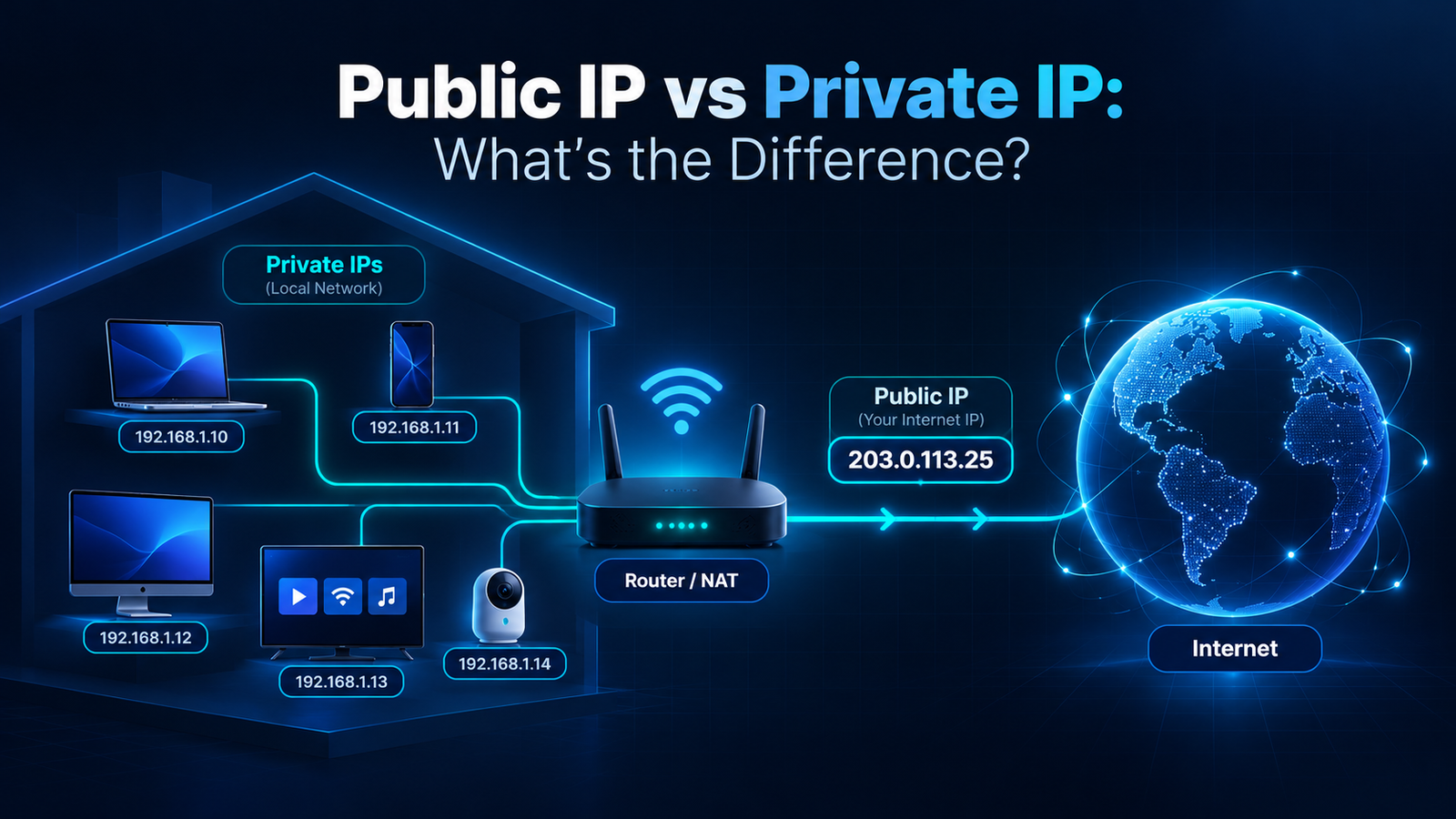
You can configure a static private IP address for a device inside your local network, but that is different from having a static public IP.
For example, you might manually assign your computer:
192.168.1.50
That can keep the computer at the same private address inside your home network.
But your ISP can still change the public IP used by your internet connection.
For the difference between the two, see Public IP vs Private IP: What's the Difference?.
Do You Need a Static IP for Remote Access?
Not always, but a static public IP can make remote access easier.
If a remote service expects to reach your network at a known IP address, a changing address can create problems.
Alternatives can include:
- Dynamic DNS;
- VPN services;
- cloud-based remote access tools;
- provider-specific remote access solutions.
The right option depends on what you are trying to access and how much control you have over the network.
What Is Dynamic DNS?
Dynamic DNS, commonly called DDNS, provides a hostname that can be updated when your public IP changes.
Instead of remembering an address such as:
203.0.113.25
you might use a hostname such as:
example-home.ddns-provider.com
A router or software client can update the hostname whenever the public IP changes.
This can be useful when you need a consistent name but your ISP does not provide a static IP.
Is a Static IP Faster?
No, not simply because it is static.
A static IP does not automatically improve:
- download speed;
- upload speed;
- Wi-Fi performance;
- latency;
- streaming quality.
Your internet performance depends on factors such as your plan, ISP network, routing, congestion, hardware, and Wi-Fi conditions.
The main advantage of a static IP is predictability, not speed.
Is a Static IP More Secure?
Not automatically.
A static IP can actually make the same public address easier to identify over time because it does not change.
Security depends much more on:
- firewall configuration;
- strong authentication;
- software updates;
- secure remote access;
- which ports and services are exposed.
Neither static nor dynamic addressing should be treated as a security feature by itself.
Is a Dynamic IP More Private?
A changing IP can reduce long-term consistency of one network identifier, but dynamic addressing does not make you anonymous.
Websites and online services can use many signals besides IP addresses.
Your ISP also knows which addresses are assigned to customer connections at particular times.
So a dynamic IP should not be viewed as a replacement for proper privacy tools or security practices.
Static IP vs Dedicated IP: Are They the Same?
Not always.
A static IP means the address remains fixed.
A dedicated IP generally means an IP is assigned specifically to one customer, account, server, or service rather than being shared.
An address can be both static and dedicated, but the terms describe different properties.
When buying a service, check exactly what the provider means rather than assuming the terms are interchangeable.
Static IP vs Dynamic IP for Home Users
For most home internet users, a dynamic IP is perfectly adequate.
You normally do not need a static IP for:
- web browsing;
- Netflix or other streaming services;
- social media;
- email;
- online shopping;
- most online gaming;
- video calls.
A static address becomes more relevant when you deliberately run services that need predictable inbound connectivity.
Static IP vs Dynamic IP for Businesses
Businesses are more likely to benefit from static public IPs.
Examples include:
- office-to-office VPN connections;
- IP allowlisting for cloud services;
- remote management;
- self-hosted business applications;
- mail or web servers;
- network monitoring.
For these use cases, knowing that the public IP will remain stable simplifies configuration.
What If Your IP Location Changes Too?
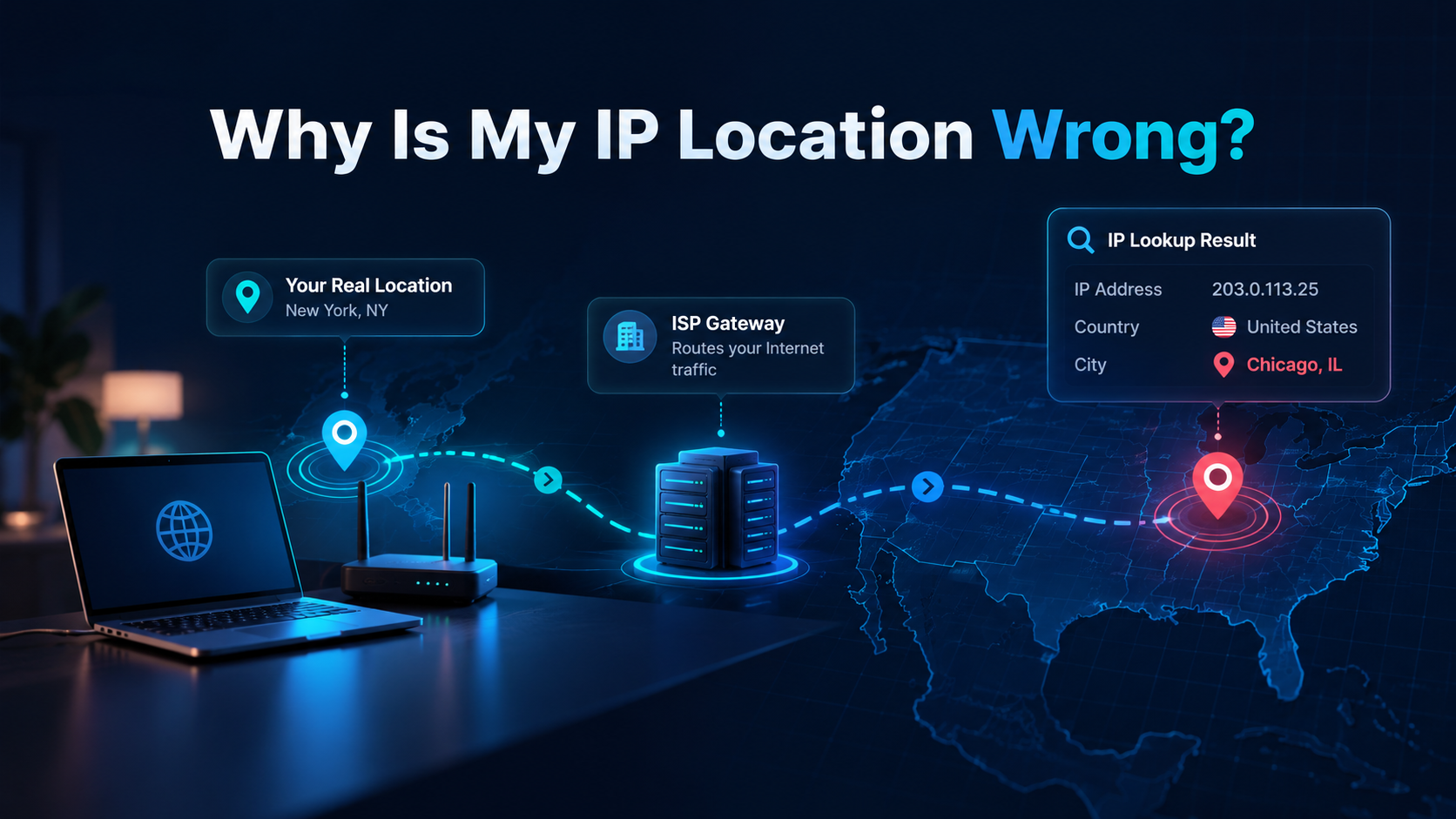
When a dynamic public IP changes, an IP geolocation service may also show a different city or region.
That does not mean your physical location changed.
The newly assigned IP may be associated with a different ISP gateway or mapped differently by the geolocation database.
For more information, see Why Is My IP Location Wrong?.
Frequently Asked Questions
How do I know if my IP is static or dynamic?
The most reliable way is to check your ISP plan or ask your provider. Monitoring your public IP over time can confirm that it is dynamic if it changes, but an address that stays the same is not necessarily static.
Does a static IP cost more?
It can. Some ISPs charge extra for a static public IP or include it only with certain business plans.
Does a static IP make internet faster?
No. Static addressing does not automatically improve connection speed or latency.
Can I turn my dynamic public IP into a static IP?
You normally need your ISP to provide a static public IP. Manually setting a static private IP on your computer does not make your public ISP address static.
Do I need a static IP for gaming?
Most gamers do not need one. A static IP may be useful for specific hosting or networking setups, but ordinary online gaming generally works with a dynamic public IP.
Check Your Current Public IP
See the public IPv4 or IPv6 address currently visible from your connection and compare it over time.
Check My IP AddressFinal Thoughts
The key difference between static and dynamic IP addresses is simple: a static IP is intended to remain the same, while a dynamic IP can be reassigned.
For most home users, dynamic addressing works perfectly well and requires no special configuration.
A static public IP becomes useful when another system needs to reliably find your connection at the same address.
If you are unsure which type you have, do not rely only on whether the address changed after restarting your router. Check your ISP plan or contact your provider for a definitive answer.